Guide · Screens
Market
Search the listings RdPod measures, narrow them down, and compare views per day, favorites and age side by side.
The count above the results shows how many listings match, out of every listing RdPod measures.
Search#
The search box looks in listing titles and tags. While you type it suggests matching shops and occasions, with the number of matching listings; with the box empty it shows your recent searches and the trending phrases from Trend Radar.
- Pick a shop to see only that shop's listings, with a link to its shop page.
- Pick an occasion to see the listings that match it.
- Every search and filter shows as a chip under the bar; click its × to remove it, or Clear all.
Filters#
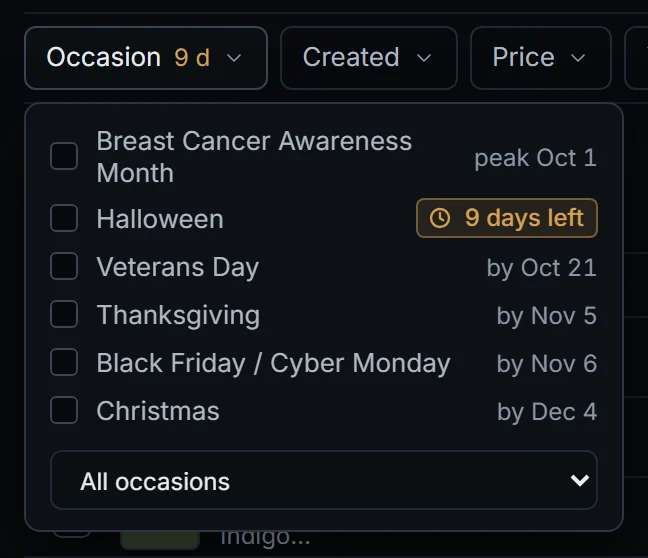
| Filter | What it does |
|---|---|
| Occasion | The next occasions, each with its deadline (by …), or its peak once the deadline has passed. A deadline 14 days away or less shows the days left in amber, also on the button. All occasions lists the rest. |
| Created | When the seller created the listing on Etsy: last 7, 30 or 180 days, or any time. |
| Price | A lowest and highest price. |
| Views/day | Measured (views per day above 0, the default), ≥ 3/day, or All, which also includes listings RdPod has not measured yet. |
| Bestsellers | Only listings with Etsy's Bestseller badge. |
| Hide brand / IP | Hides listings whose title has a possible brand or IP term. Off by default, so you see them with a flag. |
| More | Found by RdPod (first measured in the last 3, 7 or 30 days) and minimums for views per day and favorites. Plans with sales data also get Popularity score and a minimum for est. sales. |
Levels on this page#
Three chips at the right end of the filter bar count the listings on the current page that stand out. Click one to show only those; click it again to show the whole page.
- Make this one: views per day at least 3× the listing's own average over the previous 30 days. See Make this one.
- Rising: 1.2× to 3× that average. See Rising listing.
- Brand / IP: a possible trademark in the title.
A chip at 0 is hidden. The levels look at the listings on this page only, not at every match. At most 3 listings on a page get Make this one; any more count as Rising.
Sort#
Sort orders the matches by Views/day (the default), Total views, Favorites, Listing date, Found by RdPod or Price, highest or lowest first. Plans with sales data can also sort by Est. sales and Popularity score. Listings without a value sort last.
Paging stops at the first 10,000 listings. To reach the rest, narrow the search or the filters.
List view#
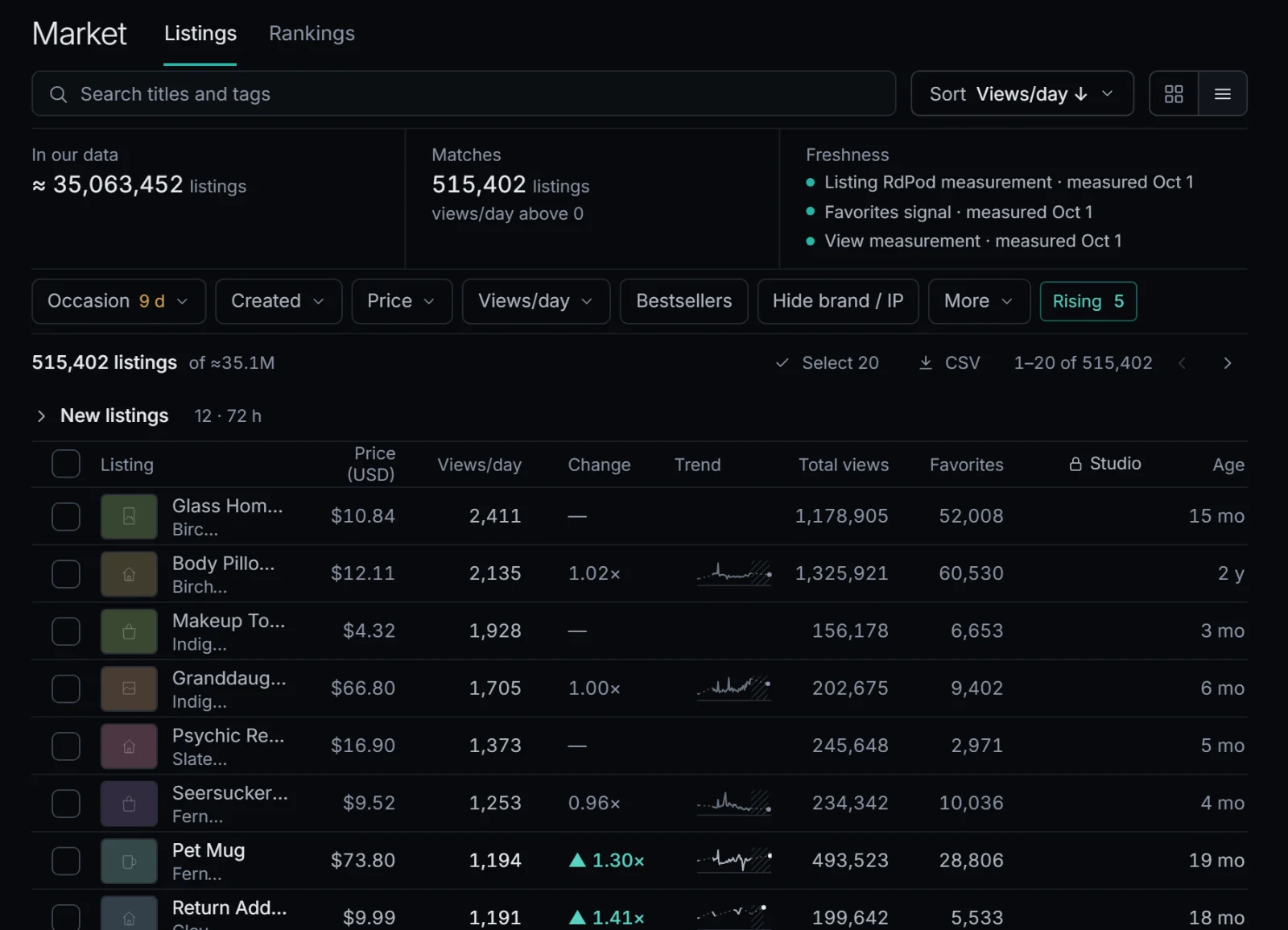
The list is the default: one row per listing, easy to compare.
| Column | Meaning |
|---|---|
| Listing | Picture, title and shop. A brand or IP flag sits next to the shop. |
| Price | The listing price. When the currency was not recorded it shows the number only; hover it for the note. |
| Views/day | Views per day from RdPod's latest measurement. |
| Change | Views per day against the listing's own 30-day average, or against its previous reading when it has only a few, for example 1.02×. ▲ marks a Rising or Make this one listing. Hover it to see what it is compared with; — means nothing to compare with yet. |
| Trend | The recent views per day, as a small chart. |
| Total views · Favorites | Lifetime views and favorites. |
| Est. sales | RdPod's sales estimate, on plans with sales data. |
| Age | Time since the listing was created: days, months or years. |
Grid view#
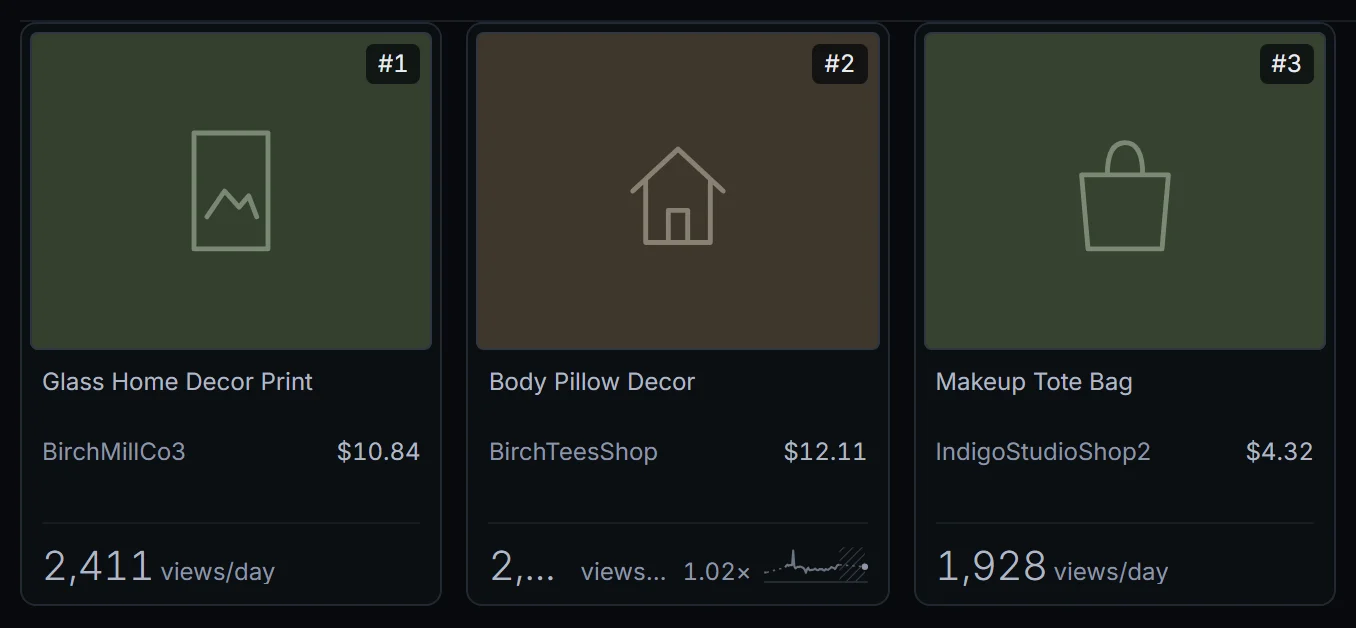
The grid toggle next to Sort shows large pictures instead, for browsing designs: one card per listing with its views per day and, on plans with sales data, its est. sales. RdPod remembers the view you chose.
Open a listing#
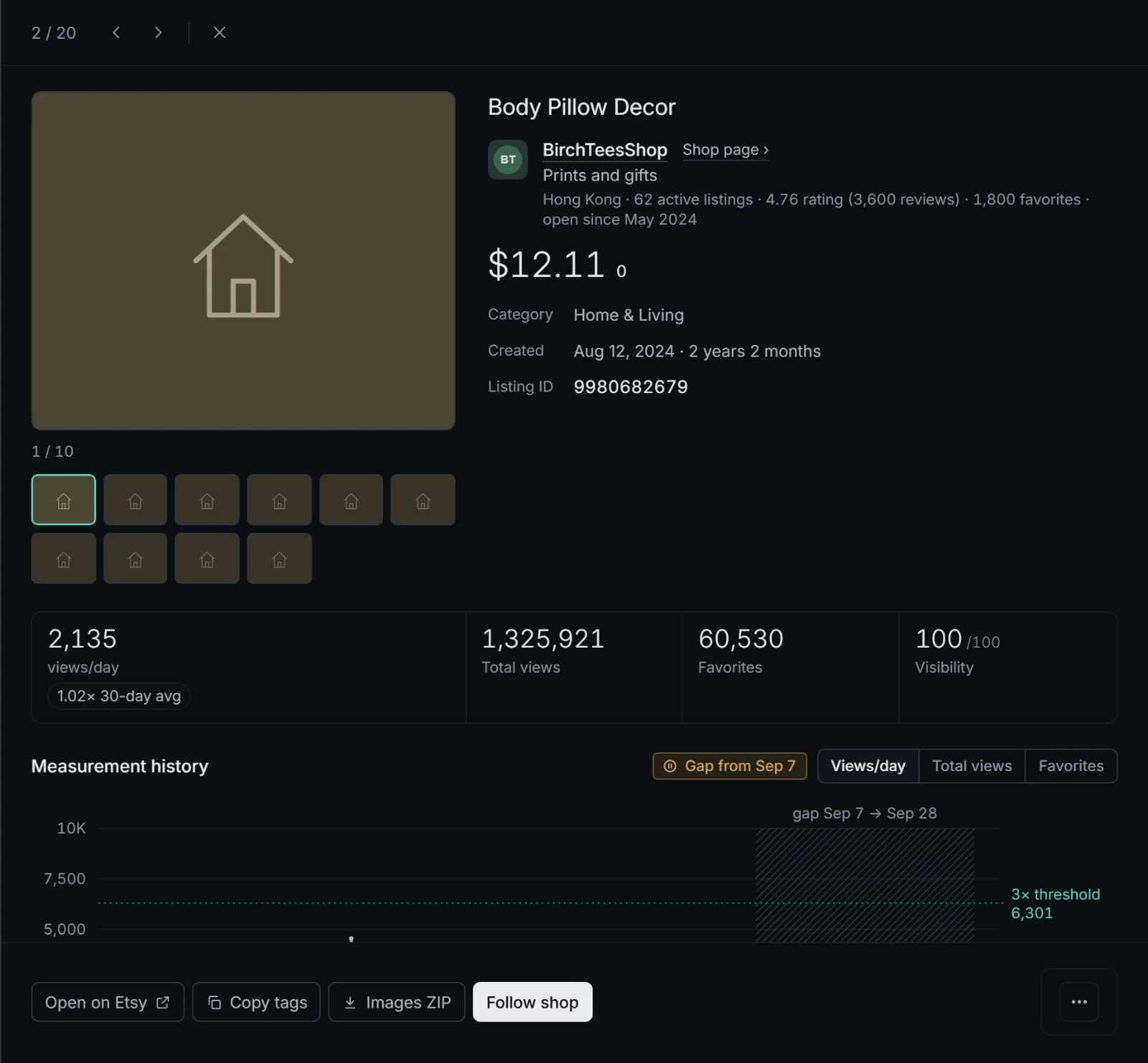
Click a listing to open its detail panel: the numbers, the measurement history chart, its tags, and buttons to open it on Etsy, copy its ID or download its images. Arrow buttons move to the previous or next listing of the page.
Select and export#
Tick the box on a listing, or Select 20 to tick the whole page. A bar appears with the number selected (selections on other pages are kept) and these actions:

- Copy IDs: the listing IDs, ready to paste.
- Images ZIP + .txt (…): the pictures of the selected listings, plus a text file with their titles and tags.
- Clear: empties the selection.
CSV saves the current results, in the same order, as a file with up to 500 rows. Its columns: listing_id, shop_name, title, image_url and listing_url.
New listings#
The New listings strip above the results opens the listings RdPod found in the last 72 hours. Use it to spot designs that are new on Etsy before they have a history. Overview shows the five new listings with the most views per day.